
Android app 0.5.1
The first beta build
This is the first version to go to the closed beta. It’s mostly about making the everyday parts of a ride dependable. A ride’s recording no longer stops after one bad GPS reading, and the app no longer crashes on a phone that’s nearly full. Those are two of more than 60 fixes.
Also in this version:
- Text is easier to read and buttons are easier to tap. The screen reader says whether each setting is on.
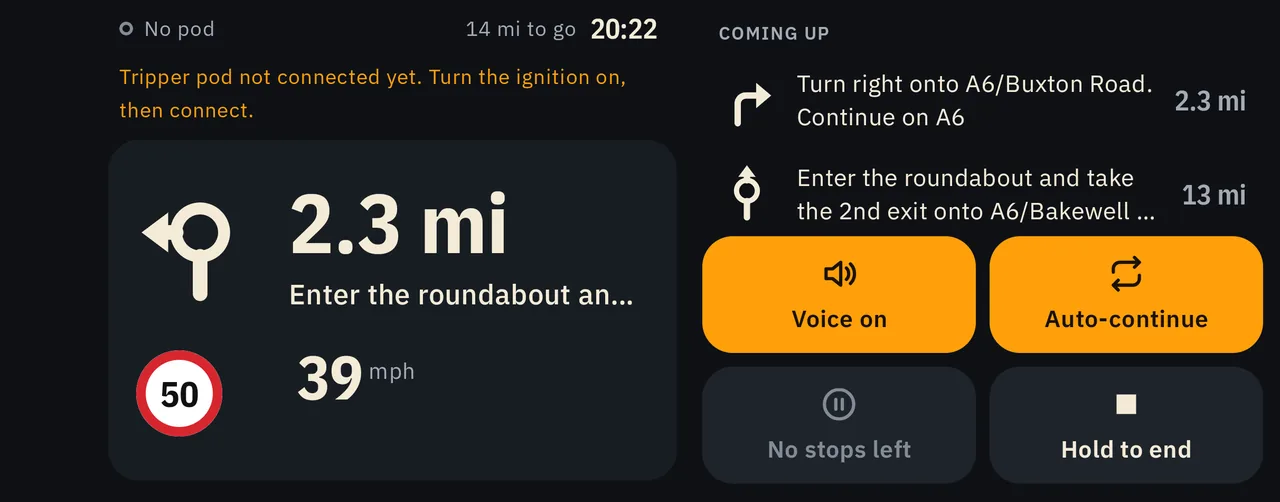
- Ridelark looks better on tablets, and the ride screen makes better use of a phone on its side.
- Directions are spoken in English when the phone has no voice for its own language.
- Town search is faster, and a ride that can’t be planned says why in plain words.
What we fixed
These are the fixes since 0.4.1, the build before this one.
Recording a ride
- A ride’s recording no longer stops after one bad GPS reading.
- On a phone too full to save its progress, the ride carries on.
- On a full phone, a saved route that hasn’t changed still starts. It isn’t recorded.
- A ride that was stopped part way is kept, even while the saved rides list can’t be read.
On the ride
- The ride buttons stay on screen however tall the next turn grows.
- The next turn reads in full at large text sizes.
- Directions use any English voice the phone has, and the app says when it has none.
A nearly full phone
- A save that fails says so, keeps your changes, and leaves no half-written copy behind.
- A GPX file that can’t be read is no longer blamed on a full phone.
Your saved rides and places
- A saved rides or places list that can’t be read no longer crashes the app. Home says it couldn’t be read, and the file is set aside, never saved over.
- Home opens without waiting for a long list of saved rides.
- A ride you renamed or deleted while it was planned stays that way.
- After Android closes the app in the background, it comes back on the screen you were on, with your edits and any feedback you were typing.
- Changing dark mode, text size or language keeps you on the same screen.
Planning and search
- A ride that can’t be planned says why in plain words.
- A big town is found in a moment, not seconds.
- A town whose name you typed comes before the streets named after it.
- A name with an accent is found when you type it without one.
- Typing a new search while maps finish downloading no longer brings back results for the old one.
GPX files
- A GPX file over 20 MB is refused, and an import you don’t save leaves no copy behind.
- A GPX file that can’t be read says so, instead of saying it isn’t GPX.
- Sharing a ride with a long name in another script, such as Chinese, no longer fails as if the phone were full.
- A route’s GPX file that couldn’t be written for sharing says so.
Maps
- A map that can’t be updated yet says so, and isn’t tried again and again as if it were damaged. Search keeps using the copy you have.
- A damaged list of maps is refused, not used.
- A list of maps that can’t be fetched says so, instead of saying a map couldn’t download.
- Offline maps no longer shows House addresses twice while they download.
Your Tripper pod
- The link to the pod ignores other Bluetooth devices nearby.
Send feedback
- What you’ve typed is still there when you come back.
- Two quick taps on Send send one report, not two.
- A report that couldn’t be saved can be sent again.
- A list that couldn’t be read is shown by its name and date, not a file name.
- The “too large” message goes away once you change what’s attached.
- Typing no longer slows while a report is being put together, and a full phone doesn’t crash Send.
Reading and tapping
- Faint and red text are easier to read, and three small buttons are bigger to tap.
- The screen reader says whether a setting, a choice or a feedback topic is on.
- A setting’s row keeps its height when its switch only shows a state.
- Dates follow your phone’s language, order and clock.
Privacy
- Phone backups hold only your routes, places and settings.
- Ride logs stay private to the phone, and the pod’s serial number is kept out of the app’s log.